Desktop App — Electron · Active development
A markdown-first note vault for people who already know .md. Point it at a
folder on disk and it becomes your vault — notes are plain markdown files, boards are
plain JSON Canvas files.
Nothing is locked into a proprietary format or database.
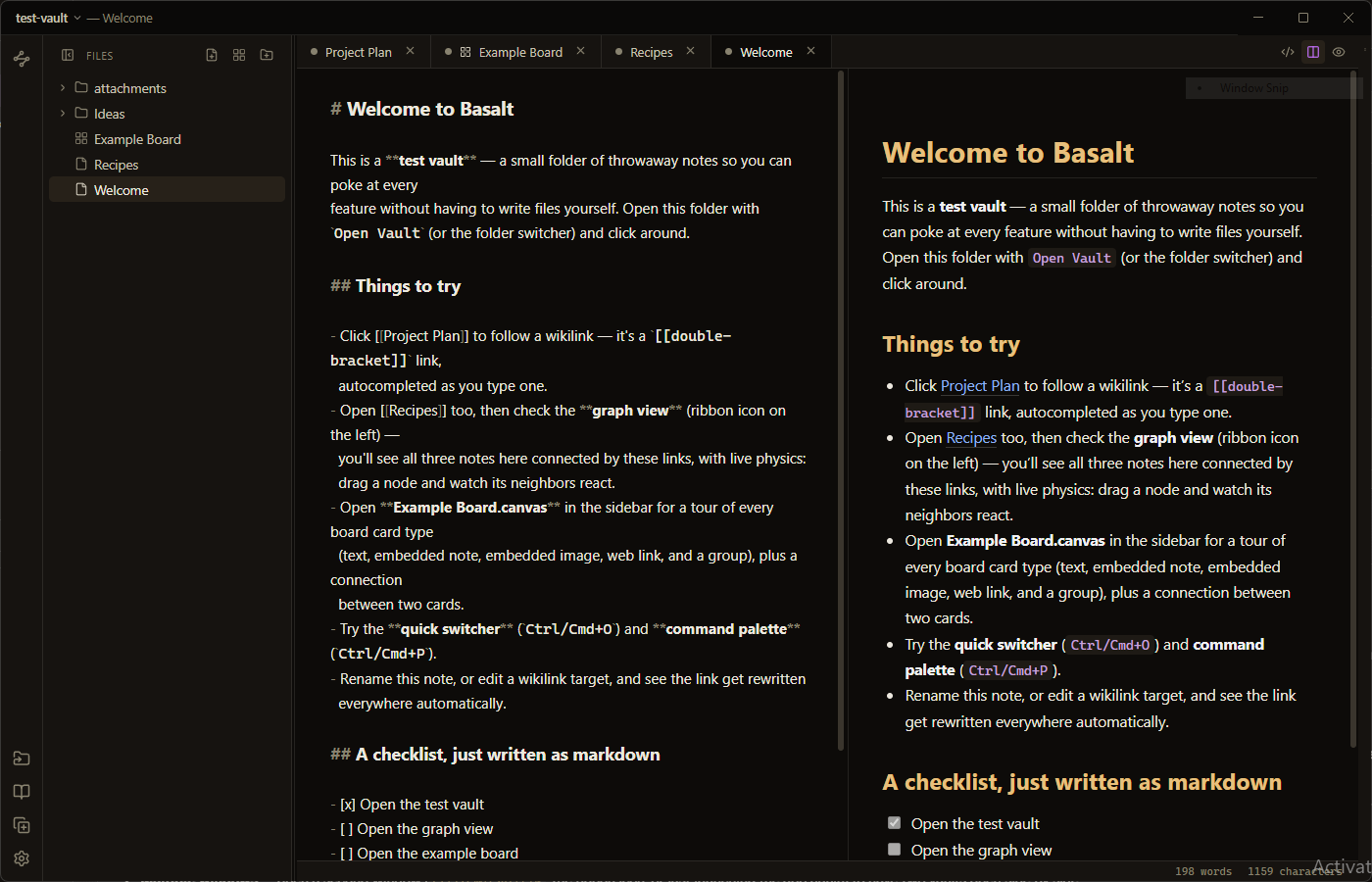
A CodeMirror editor with a live, scroll-synced preview split. [[wikilinks]] autocomplete as you type, get rewritten automatically on rename, and surface as backlinks and unlinked mentions in the right-hand panel.
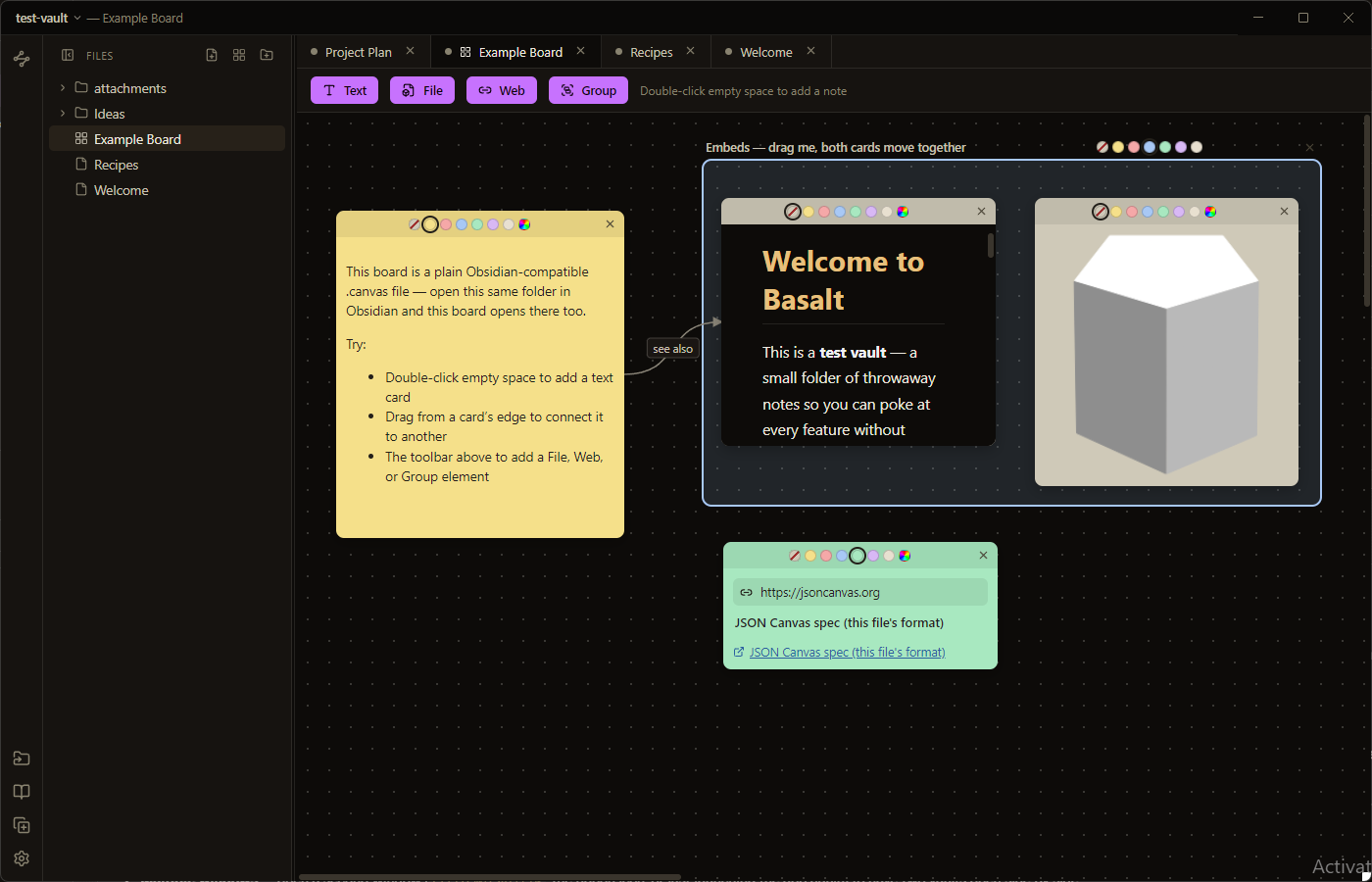
Boards are plain .canvas files — the same JSON Canvas format Obsidian uses, so a board made in Basalt opens there and vice versa. Text, file, and web-link cards; groups; drag-to-connect edges with direction, color, and labels.
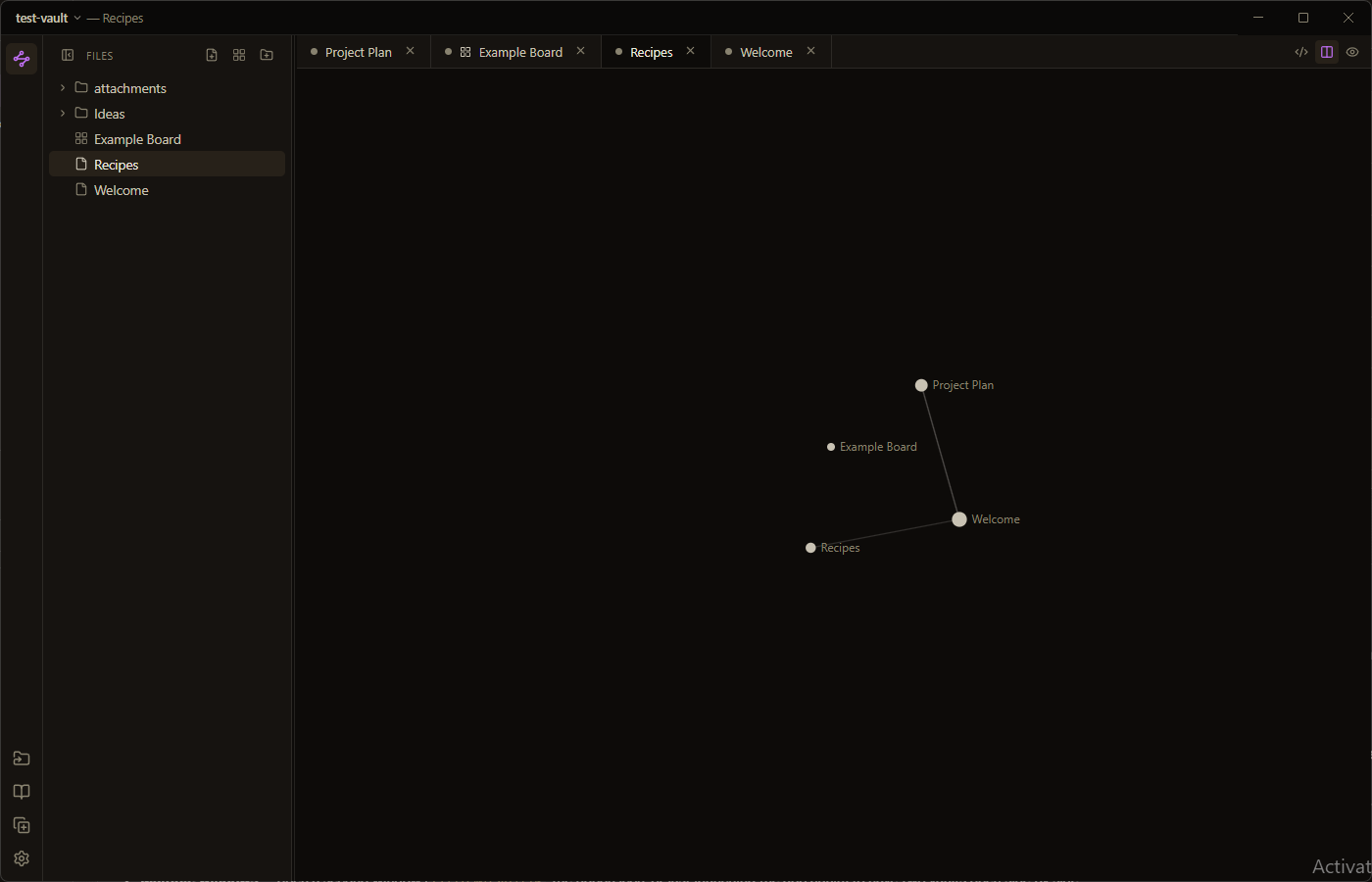
A force-directed graph of every note and the wikilinks between them, with live physics — drag a node and watch its neighbors react. Pan and zoom to explore a vault at a glance.
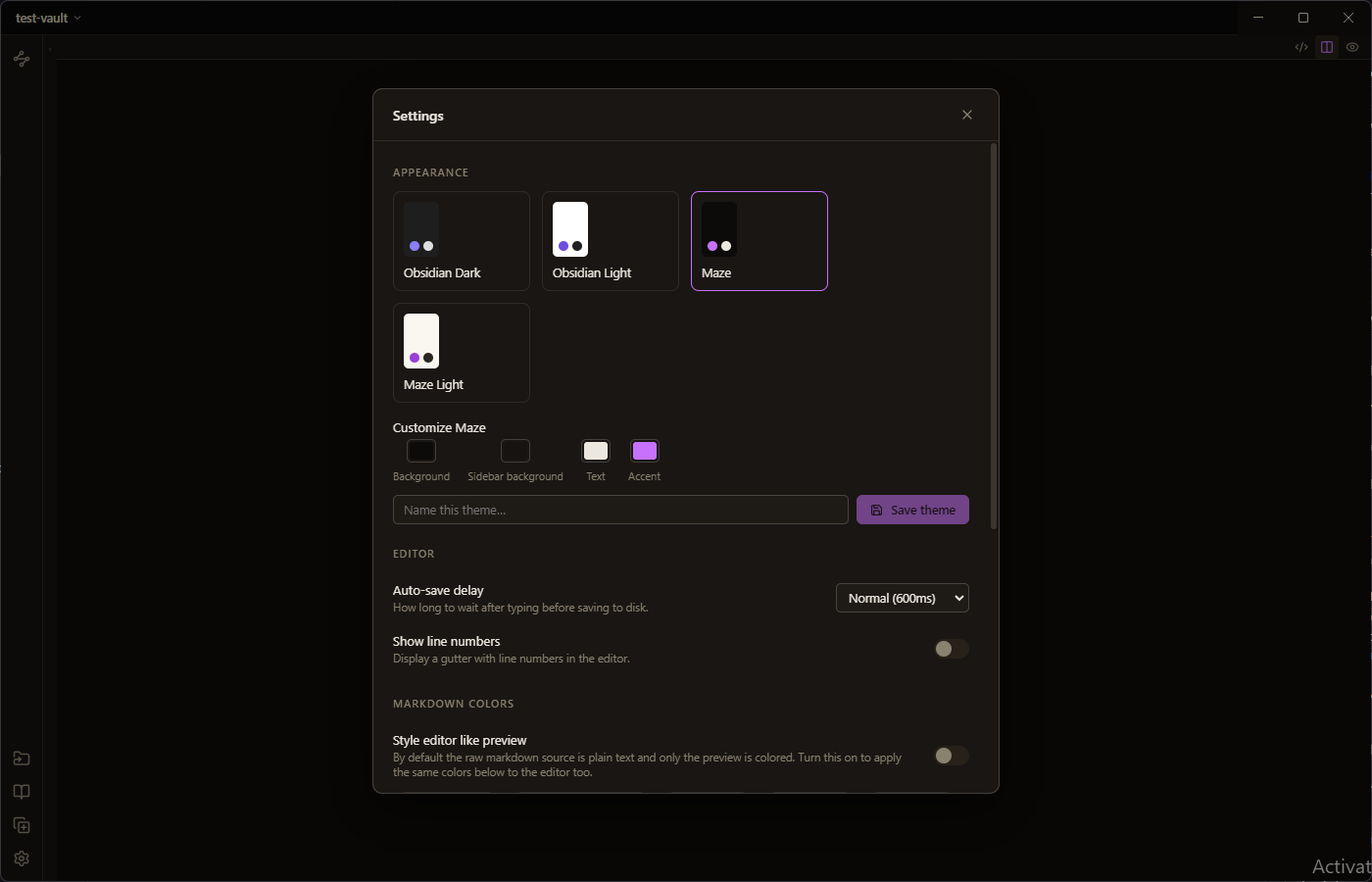
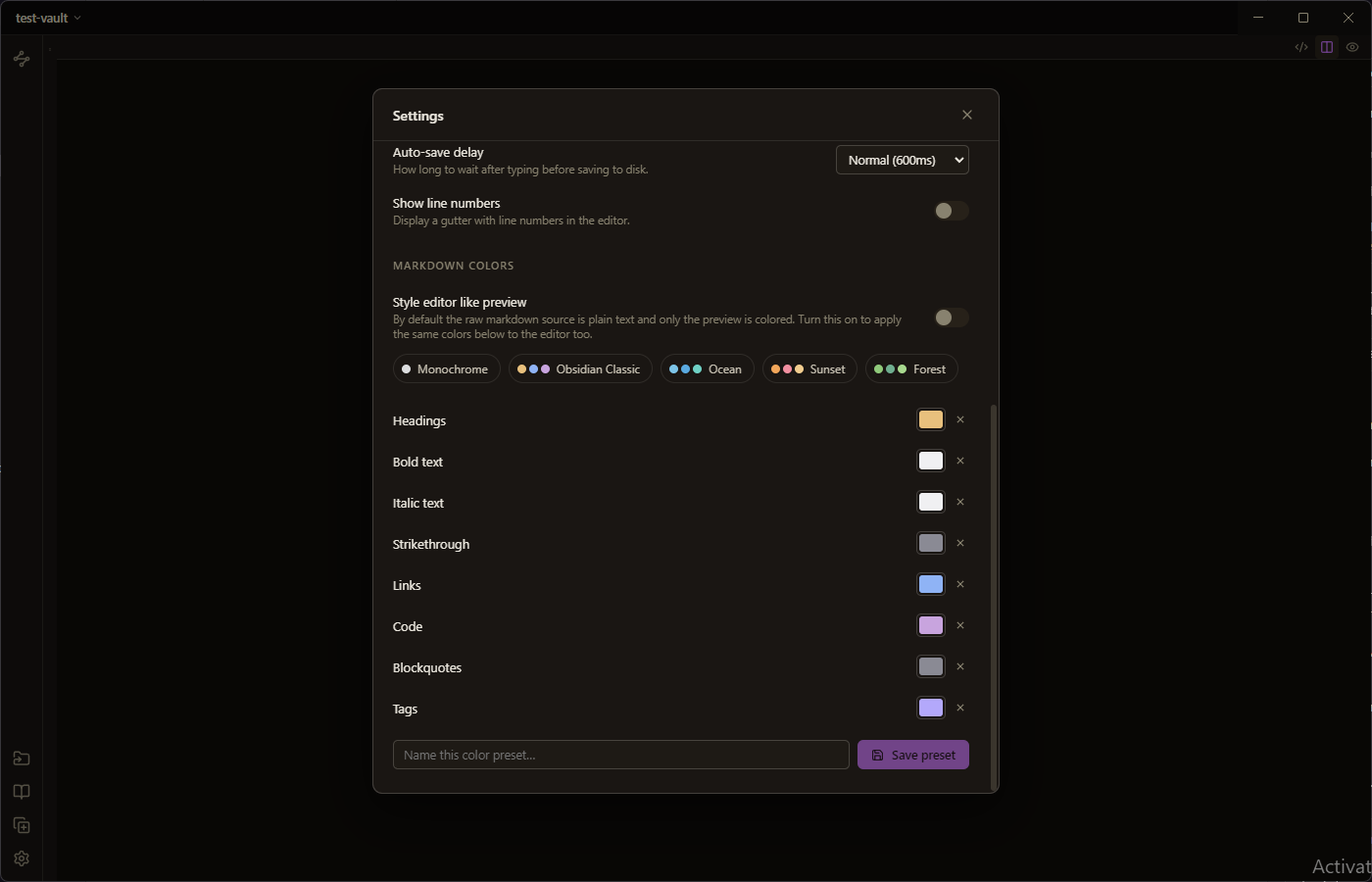
Obsidian Dark/Light and Maze themes out of the box, plus a live theme editor for background, sidebar, text, and accent colors. Markdown gets its own color layer too — pick a preset like Ocean or Sunset, or recolor headings, links, code, and tags one by one and save it.
Autocomplete as you type, rewritten automatically on rename, surfaced as backlinks and unlinked mentions.
Obsidian-compatible .canvas files with text, embed, and web-link cards.
Force-directed physics, drag-to-explore, every note and link in one view.
Ctrl/Cmd+Shift+N, the ribbon icon, or just launch again — two vaults, side by side.
Recent vaults one click away from the title bar, the ribbon, or Ctrl/Cmd+Shift+O.
Ctrl/Cmd+P command palette, Ctrl/Cmd+O quick switcher, and saveable markdown color presets.
Everything Basalt writes, you could read in Notepad.
Point Open Vault at any folder on disk and it becomes your vault. Notes stay plain .md, boards stay plain .canvas — nothing is locked into a proprietary format or a database, so the vault outlives the app.
A small throwaway test-vault ships in the repo with a couple of linked notes, an unlinked mention, and an example board covering every card type — the fastest way to see the app without writing anything yourself.